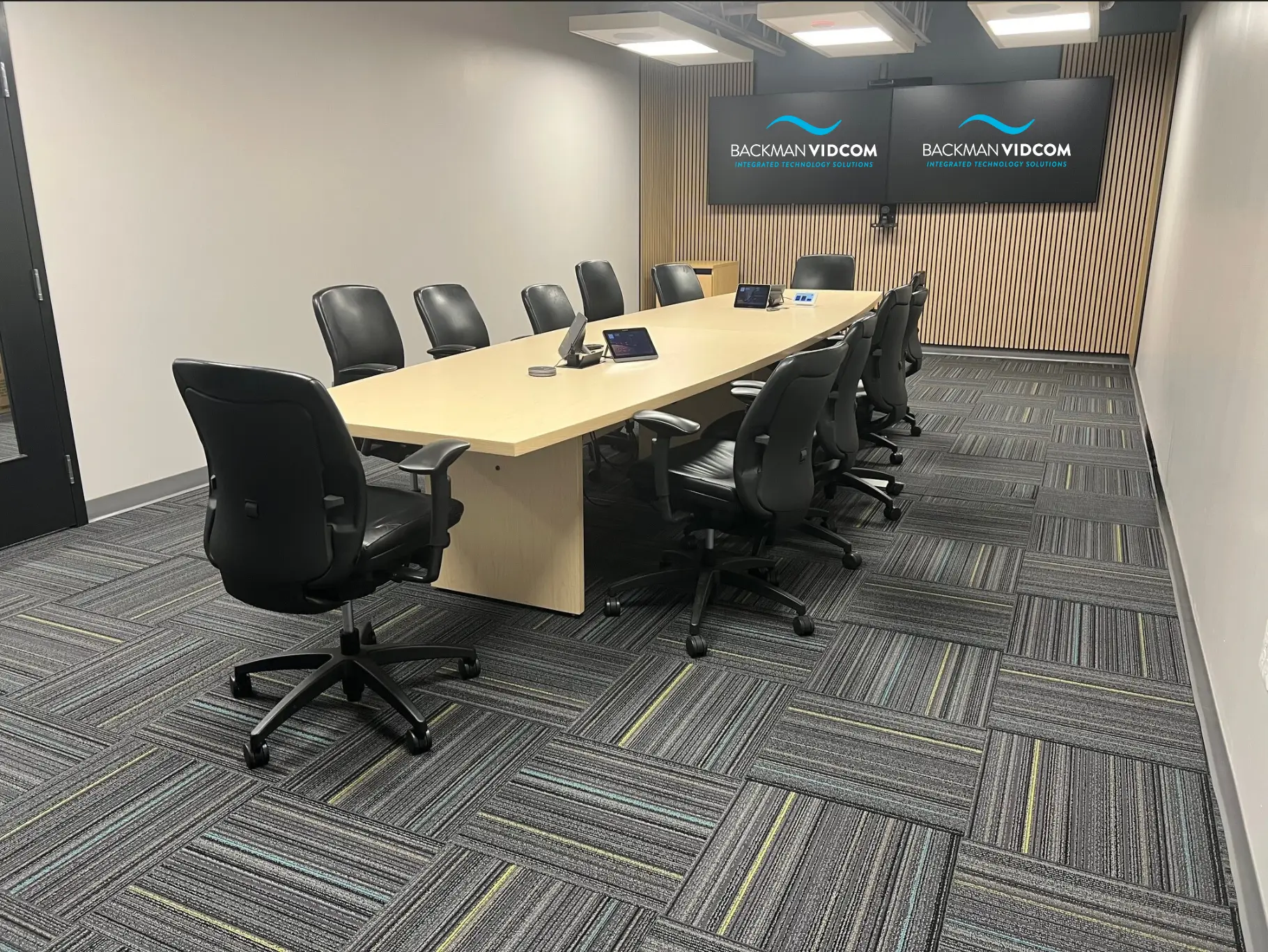
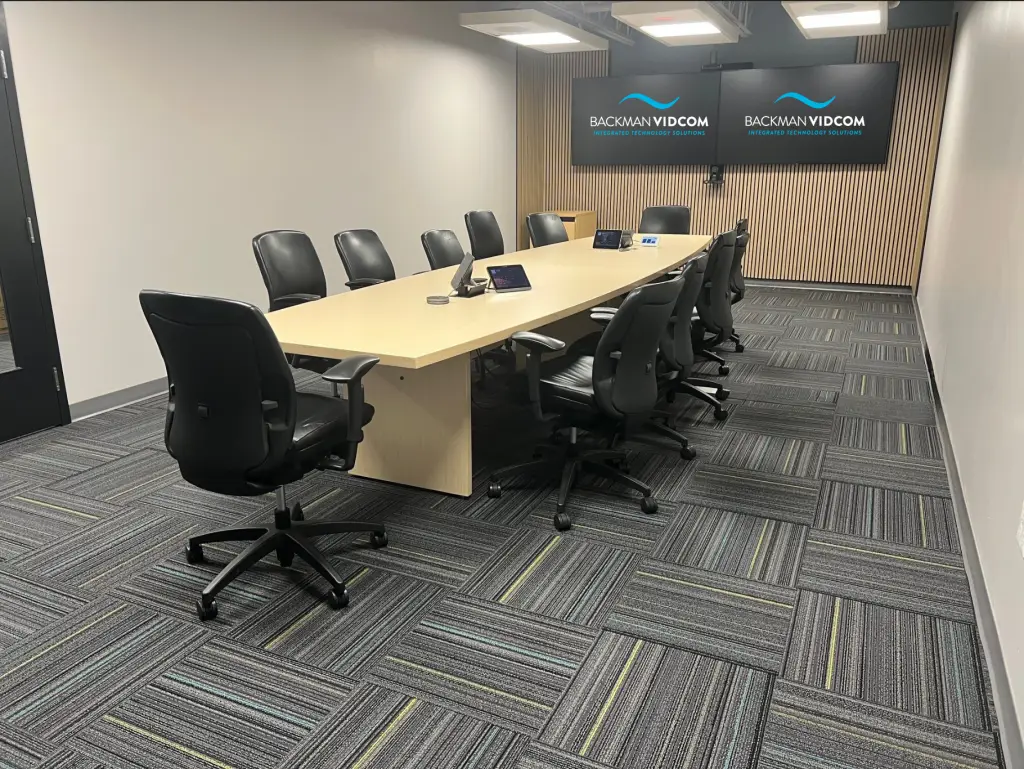
Hybrid meeting rooms need AV technology that delivers equal-quality audio, video, and collaboration tools for both in-person and remote participants. That means a 4K camera with smart tracking, a DSP-driven microphone array that captures every voice in the room, high-resolution displays, and a unified control system, all integrated so that no participant is disadvantaged by where they are sitting.
At Backman Vidcom, we design and install AV systems for hybrid workplaces across Atlantic Canada. Here is what we have learned about what actually works in 2026.
TL;DR
- Poor audio is the #1 reason hybrid meetings fail – microphone arrays and DSP are non-negotiable.
- Smart PTZ cameras with AI tracking keep remote participants visually connected to the room.
- Dual displays (one for video, one for content) prevent the “too small to read” problem.
- Room size determines the right system – there is no one-size-fits-all solution.
- Platform certification (Teams Rooms, Zoom Rooms) matters for long-term reliability.
- Acoustic treatment often delivers more value per dollar than additional AV hardware.
Why Hybrid Work Changed the Meeting Room Forever
The shift to hybrid work was supposed to be temporary. Instead, it became the default operating model for organizations across Atlantic Canada and beyond. Most leadership teams now run meetings where half the participants are in the room and half are joining by video. The experience gap between those two groups has become a serious operational problem.
Traditional meeting room setups were not built for this. A conference phone at the centre of the table, a basic webcam on a laptop, and a wall-mounted display designed for in-room presentations do not serve a distributed team. Remote participants struggle to hear side conversations, cannot see who is speaking, and get cut out of whiteboard discussions entirely.
The organizations that have solved this problem share one thing in common: they invested in purpose-built AV infrastructure designed around the hybrid use case, not retrofitted from what they already had. We work with corporate workplaces, government offices, educational institutions, and more across the region, and the pattern holds regardless of sector.
What Makes a Meeting Room Truly Hybrid-Ready?
A hybrid-ready meeting room supports four things simultaneously: clear audio in both directions, high-quality video with intelligent framing, shared visual content that everyone can see and interact with, and centralized room control that anyone can operate without IT support.
Audio: The Most Critical (and Most Overlooked) Element
Poor audio kills hybrid meetings faster than any other failure point. Remote participants who cannot hear clearly disengage within minutes. In-room participants grow frustrated repeating themselves. Productivity drops.
A properly specified audio setup for a hybrid meeting room typically includes a ceiling microphone array or a distributed tabletop microphone system, an acoustic echo canceller and noise suppression processor (DSP), and speakers calibrated for the specific room dimensions and surface materials.
The room itself matters too. Hard floors, glass walls, and high ceilings create reverberation that even the best microphone system cannot fully compensate for. Acoustic treatment (panels, baffles, carpet, or acoustic ceiling tiles) is often the most cost-effective upgrade a room can receive before any AV equipment is installed. For a deeper look at this, see our post on how sound masking and acoustic panels improve the workplace.
Video: Smart Cameras That Follow the Conversation
Fixed-angle webcams miss too much. A presenter who steps to the whiteboard, a participant raising a hand, a side conversation that the remote team cannot see: all of these break the meeting flow.
Modern PTZ (pan-tilt-zoom) cameras with AI-driven speaker tracking solve this. The camera identifies who is speaking and frames them automatically. Multiple cameras in a larger room can work together, switching intelligently as the conversation moves. Some systems include 360-degree room cameras that give remote participants a spatial sense of the physical space. Our post on smarter AV with AI covers how these systems have evolved.
4K resolution is now the baseline for any new installation. It ensures that shared documents, presentations, and whiteboards remain legible on screen even when the camera is framing a wide shot.
Displays: Enough Screen Real Estate for Everyone
The classic mistake in hybrid room design is installing a single display and splitting it between the video call and the presentation content. Both end up too small to be useful.
A dual-display setup solves this: one screen dedicated to the video conferencing gallery so in-room participants can see every remote face, and a second screen for presentation content and shared documents. For larger boardrooms, a video wall or ultrawide display can create an immersive connection experience where remote participants feel genuinely present in the room. See our guide on essential AV solutions for boardrooms for more on display configurations.
Interactive Collaboration Tools
Hybrid meetings require a shared visual workspace. A digital whiteboard (either a dedicated interactive display like the SMART Board or Microsoft Surface Hub, or a software-driven solution paired with a touchscreen display) gives both in-room and remote participants the ability to contribute to the same canvas in real time.
This is particularly valuable for brainstorming, planning, and design reviews where visual thinking drives the outcome.
Room Control: One Interface for Everything
AV systems that require a different remote or app for each component create friction that kills adoption. Integrated room control systems (from manufacturers like Crestron, Extron, and AMX) consolidate lighting, audio levels, display inputs, conferencing platform selection, and window shading into a single touch panel or tablet interface mounted at the table.
When a room is easy to use, it gets used properly. When it is complicated, people find workarounds that undermine the investment.
What Hybrid Meeting Room Problems Does AV Integration Actually Solve?
“Remote participants can’t hear properly.” A microphone array with DSP eliminates this by picking up voices across the full table and suppressing background noise and echo.
“The camera only shows one part of the room.” A PTZ camera with auto-tracking, or a multi-camera setup with an AI switching system, keeps the right people in frame as the conversation moves.
“We’re sharing content on Teams but half the room can’t see the screen.” A second display dedicated to presentation content, or an upgrade to a larger-format display, resolves this immediately.
“No one knows how to start the meeting.” A unified room control panel with a one-touch “start meeting” workflow eliminates the five-minute technology triage that opens most hybrid meetings.
“The room sounds echoey on video calls.” Acoustic panels, an echo canceller in the DSP chain, and proper microphone placement correct this, usually without major renovation.
How Do You Choose the Right AV Setup for Your Meeting Room Size?
Room size is one of the most important variables in AV system design. There is no universal solution.
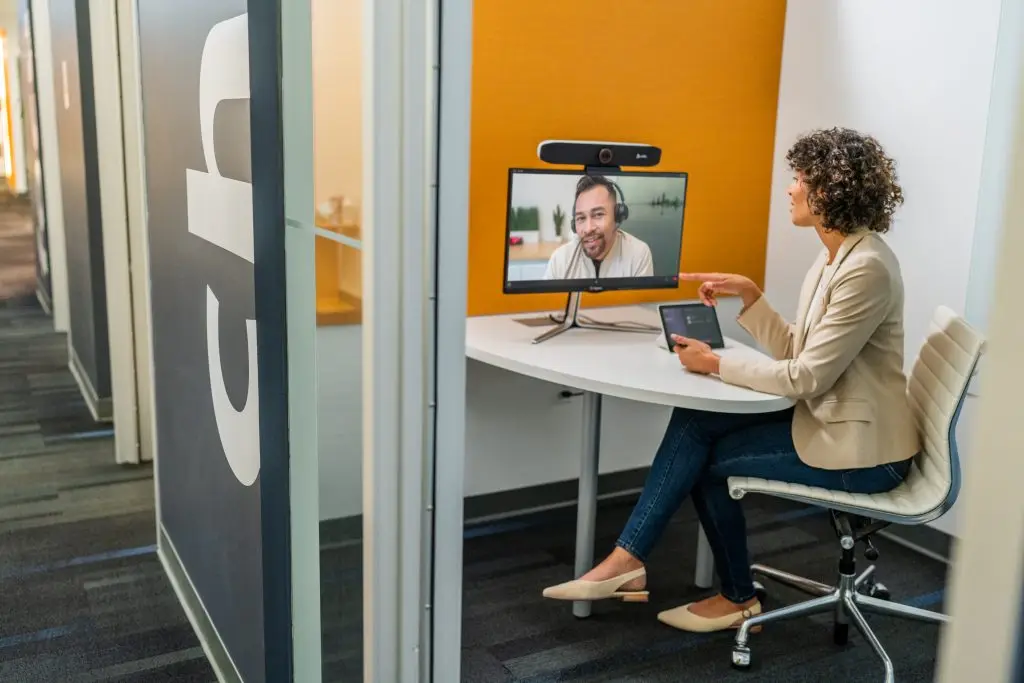
Focus rooms and huddle spaces (2-4 people): An all-in-one video bar (such as the Poly Studio or Logitech Rally Bar Mini) is typically the right choice. These units combine a camera, microphone array, and speaker in a single device and are purpose-built for small rooms. They are cost-effective, easy to install, and perform extremely well for their intended use case.
Medium conference rooms (6-10 people): A separate PTZ camera, ceiling or table microphone array, DSP processor, and integrated room control system provide the performance and flexibility a larger group requires. Display size becomes more critical here: a 75-85 inch display or a dual-screen setup is usually appropriate.
Large boardrooms and training rooms (10+ people): Multi-camera systems with AI switching, distributed audio with multiple ceiling speaker zones, high-brightness projection or large-format LED displays, and a full room automation system are the standard specification. These rooms often also require acoustic treatment to perform at their best.
If you are unsure which category your space falls into, our post on when you need an AV professional for your meeting room is a good starting point.
Stay ahead of the curve. Subscribe to the Backman Vidcom newsletter for practical AV insights built specifically for Atlantic Canada organizations. No fluff, just guidance you can use. Subscribe here.
Does the Choice of Video Conferencing Platform Matter for AV Design?
Yes, and it matters more than most people expect. Microsoft Teams Rooms, Zoom Rooms, and Google Meet Hardware are certified platforms with specific hardware compatibility requirements. Installing equipment that is not certified for your platform can create persistent reliability and support issues.
Backman Vidcom designs and installs systems certified for Microsoft Teams Rooms and Zoom Rooms, which are the two dominant platforms for enterprise and mid-market organizations in Atlantic Canada. We assess your existing platform, licensing, and IT environment before specifying equipment to ensure long-term compatibility. For Teams-specific guidance, see our post on Microsoft Teams Breakout Rooms.
What Does an AV Integration Project with Backman Vidcom Look Like?
We follow a structured process from initial consultation through to post-installation support. Our full services overview covers each stage in detail, but here is what to expect:
Discovery and assessment. We visit the space, assess room acoustics, existing infrastructure, network capability, and your specific use case. We ask about the platforms your team uses, the kinds of meetings you run, and the problems you are trying to solve.
System design. We produce a detailed system design with equipment specifications, a network and cabling plan, and a room layout. We explain the rationale behind every recommendation so you understand what you are getting and why.
Installation. Our certified technicians handle the full installation, including cable management, equipment mounting, programming, and platform configuration.
Training and handover. We train your team on the system before we leave. A room that no one knows how to use is not a successful installation.
Ongoing support. We offer maintenance agreements and remote monitoring for organizations that want ongoing technical support without building that capability internally.
Frequently Asked Questions About Hybrid Meeting Room AV
What is the difference between a video conferencing system and a hybrid meeting room AV system? A basic video conferencing system connects people over video. A hybrid meeting room AV system is designed to make the experience equitable for all participants regardless of location, addressing audio quality, video coverage, content sharing, room acoustics, and ease of use as a unified challenge.
How much does it cost to upgrade a meeting room for hybrid work? Costs vary significantly based on room size, existing infrastructure, and the complexity of the system. A focus room upgrade using an all-in-one video bar can be completed for a few thousand dollars. A fully integrated enterprise boardroom system is a larger investment. Backman Vidcom provides detailed quotes after an on-site assessment. We do not offer pricing without understanding the specific space.
Do I need to upgrade my network before installing a new AV system? Possibly. Modern AV systems, particularly those using AV-over-IP or cloud-managed control systems, have specific network requirements. We assess your network infrastructure as part of the discovery process and flag any requirements before installation begins.
How long does a meeting room AV installation take? Most small to medium room installations are completed in one to two days. Larger or more complex systems may require additional time for programming, integration testing, and commissioning.
Does Backman Vidcom service organizations outside Halifax? Yes. We serve clients across Atlantic Canada, including Nova Scotia, New Brunswick, Prince Edward Island, and Newfoundland and Labrador.
Ready to Upgrade Your Meeting Rooms?
Backman Vidcom has been designing and installing professional AV systems for organizations across Atlantic Canada for more than 50 years. If your meeting rooms are not working well for your hybrid team, we can help you identify the right solution for your space, your platform, and your budget.
Not ready to talk yet? Subscribe to our newsletter for monthly AV insights tailored to Atlantic Canada organizations — practical guidance on hybrid meeting technology, acoustic design, platform updates, and more. Subscribe here.
When you are ready to take the next step, contact us to arrange a consultation, or call us at 902-450-5005.